Try your save the date on yourself first
Pick a template, see it play with your names, then send yourself a test before a single guest receives it.
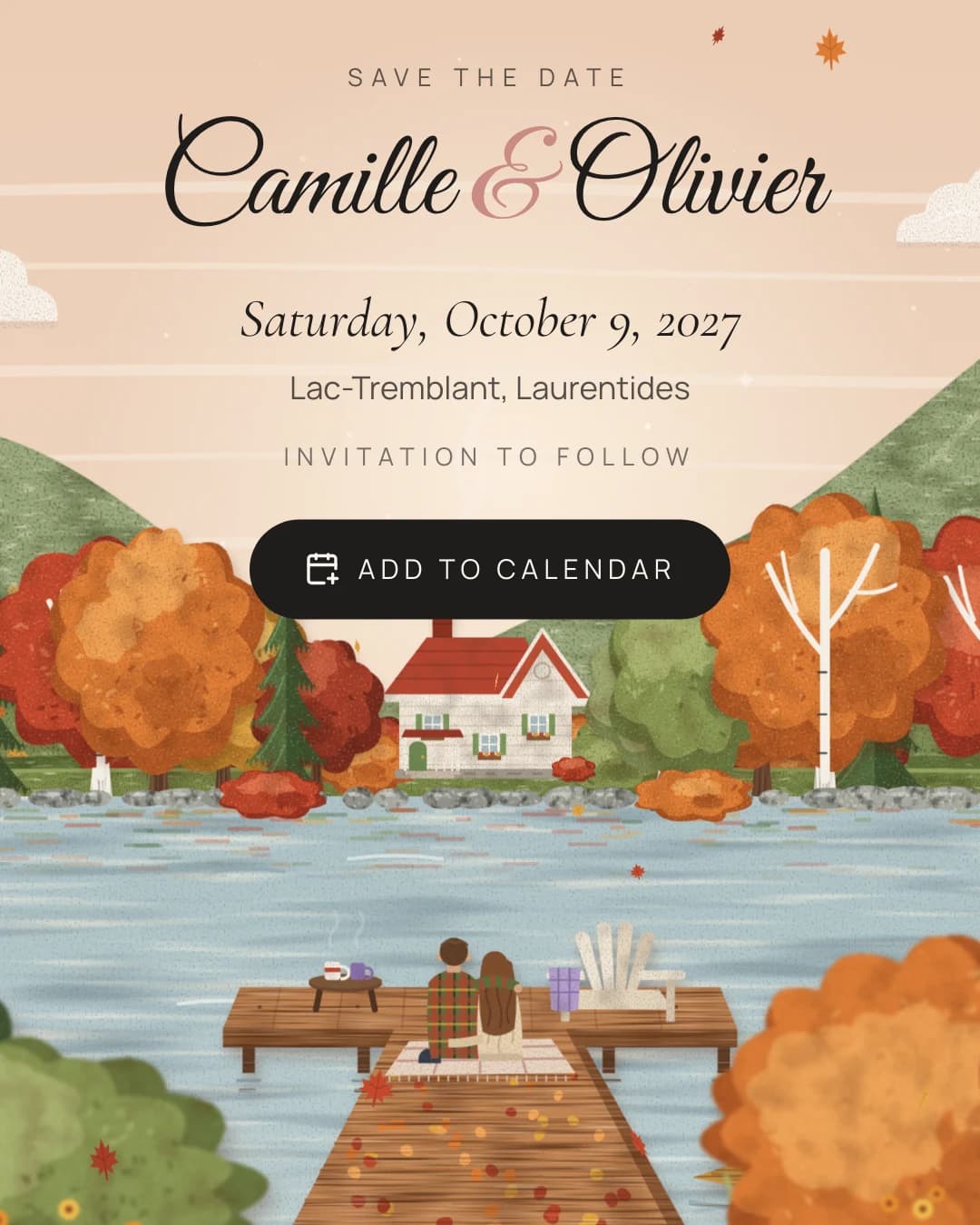
Before your guests open your save the date, you should open it yourself, on your own phone, the way they will. That is now part of the flow.
It sounds obvious, but most tools skip it. You design something on a laptop, press send, and only find out what it looks like when a cousin replies with a screenshot. We wanted the first person to be surprised by your save the date to be you.
Choose, and see it with your names
Once your wedding is created, we offer our selection of save the dates. Every card plays live with your names, your date and your place, so you are not choosing from a demo couple but from your own wedding.
That changes the choice more than you might expect. A scene can look lovely with sample names and odd with yours, or the other way round. Long names, short names, two first names joined by an ampersand: each scene places them for you, and you see the result before you commit.
Click the one you like. It is saved at once, and you can change your mind at any time; choosing another card simply replaces the first.
Send yourself a test
Under the cards, a small row lets you try it:
- Full size demo opens exactly what your guests will see, full screen.
- Email sends a test to your own address, or to anyone you type in.
The test email is not a plain link. It is a small card in the same palette as the site, marked "Test", with your names, the date written out in full in your language, the place, and a button to open the save the date.
Your guests’ link stays untouched
Every test uses its own private link. Your guests’ link stays untouched until you decide to share it.
This matters more than it seems. A test forwarded to a group chat cannot accidentally become the real announcement, and you can try as many scenes as you like without anyone seeing your hesitation.
What to check
When the test arrives, open it on your phone and look at a few things:
- The names. Are they spelled the way you want guests to see them?
- The date. Is it the right day, written the way you would say it?
- The place. Is it the name your guests will recognise, or the full address they will need?
- The moment. Watch it to the end once, without skipping. Does it feel like you?
If something is wrong, fix it and send another test. It costs nothing and takes a few seconds.
Then show it to someone
Send the test to your partner, your mother, your best friend. Watch their face when the scene starts to move. That is the moment we build for.
What happens next
When you are happy with it, "Validate" takes you to the next step: your guest list. You can type your guests in, grouped by household, or import the list you already keep in Excel. Once your guests are in, your save the date has somewhere to go.