Why your wedding needs a good website
A first moment your guests remember, the date and place they can always find, and reminders that do the chasing: what a good wedding website does for you.
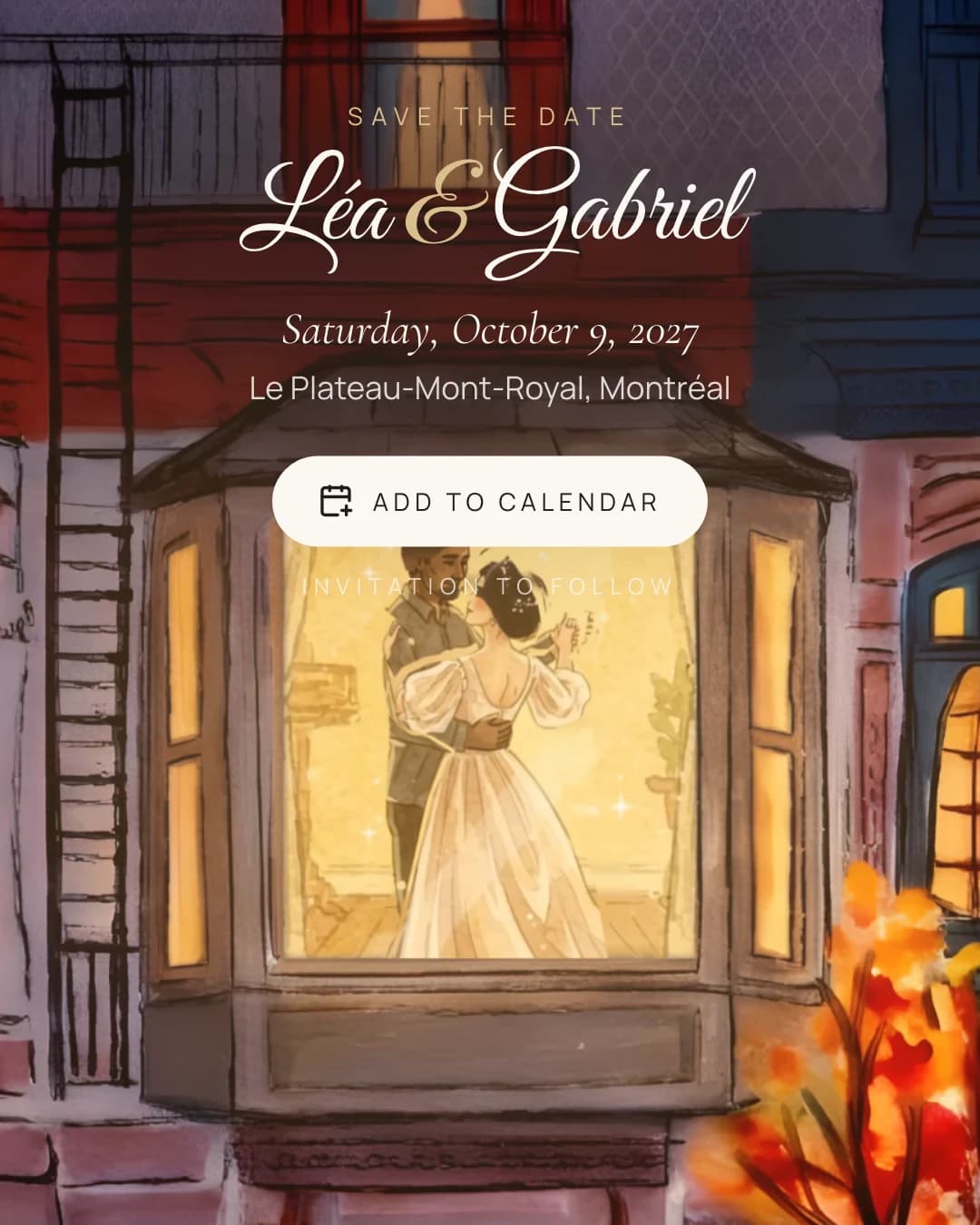
Your guests will hear about your wedding long before they see it. A link in a text, an email from your aunt, a message in the family group chat. Whatever they open first is their first taste of the day.
A good wedding website makes that moment count, and then quietly does the work behind it. It does three things well: it impresses, it informs, and it reminds.
A first moment your guests remember
Most wedding websites look alike: a photo, a headline, a menu of pages. Guests scroll, find the date and close the tab.
The first screen is your chance to do better. It is the first part of the wedding your guests actually experience, months before the ceremony. When it opens like a paper invitation, or a scene paints itself in with your names, people watch it to the end. Then they send it to their partner, and their partner watches it too.
That is the wow, and it is not about decoration. A save the date that feels like you tells your guests what kind of day to expect: a city evening, a cottage weekend, a winter wedding. It sets the tone before you have written a word of the invitation.
Keep it short, though. Your guests open it on a phone, often in a hurry. A good opening lasts seconds, ends on your names and your date, and never makes anyone wait for a loading bar.
If you want to see how that feels before you send it, read try your save the date on yourself.
The date and the place, impossible to miss
Behind the wow, a wedding website has one plain job: to make sure everyone knows when and where. It sounds obvious, and it is where most of the questions come from.
Make the date unambiguous. Write it in full, with the day of the week: Saturday, June 19, 2027. A date like 06/07/2027 reads as June 7 to one guest and July 6 to another. If your guests read different languages, show the date the way each of them writes it.
Make the place findable. Name the venue and the city, and when you send the invitation, add the full address and the time. Guests who travel will look it up on a map; guests who do not will forward it to the cousin who drives. If you have two places, a ceremony and a reception, say so early, so nobody books a hotel next to the wrong one.
Put it in their calendar. The best place for your date is the calendar your guests already check. A single "Add to calendar" button turns a nice link into a day they cannot double-book.
Keep it in one place. A website is the one link that stays true. When the venue changes or the start time moves, you update it once, and nobody is reading an old screenshot.
Reminders that do the chasing
Every couple knows the last weeks before the deadline. Half the replies are in, the caterer wants numbers, and you start writing the same message to your uncle for the third time.
A good wedding website takes that off your hands. Each household gets its own link, so you can see at a glance who has replied and who has not. Gentle reminders go out to the ones who have not, and the headcount updates itself as they answer.
The tone matters as much as the timing. A reminder should read like a note from you, not a notice from a system: short, warm, with the link to reply in one tap. No countdown, no guilt, no "last chance".
Remind at the moments that help guests decide:
- when the invitation goes out, with the reply deadline written clearly;
- a couple of weeks before that deadline, for the households who have not answered;
- a few days before the wedding, with the time and the address, for the people already on their way.
To time the first message right, read when to send your save the dates.
What we built for this
We built Zendegi.Studio around those three jobs, in that order.
Your save the date is free. You choose a scene, and it plays with your names, your date and your place, ends on an "Add to calendar" button, and can be shared in up to 30 languages, each with its own link (see one save the date, in up to 30 languages).
Premium is $125 CAD per event, paid once. It adds the animated RSVP, a personal link for every household, a live headcount and polite reminders, along with the registry and the photo gallery. We explain exactly what each one includes in what is free, and what Premium adds.
Your guests never pay, create no account and install nothing. They open a link, watch the scene, and reply in under a minute.
You can play every scene on the templates page, and start with a free save the date from the pricing page.